
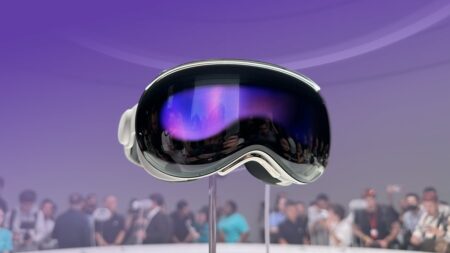
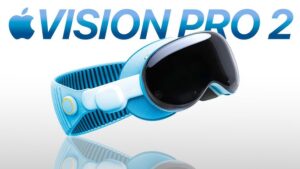
Vision Pro 2 is shaping up to be a powerful evolution-focused refresh: a faster smarter slightly lighter headset targeting creatives professionals and spatial computing enthusiasts without dropping the steep price tag.
Learn How to Use Apple Intelligence
-
Use Genmoji Smart Summarize and Image Playground to boost productivity.
-
Explore on-device AI to keep tasks private while still benefiting from intelligence features.
Voice commands + gestures = powerful control. Train yourself early.
Optimize Comfort
-
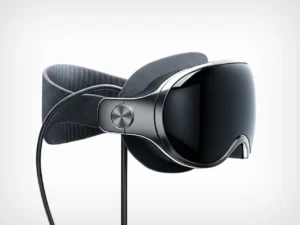
Look out for the new lighter titanium frame—choose a strap that balances weight evenly across your head.
-
Take breaks: To avoid motion sickness or eye strain, follow the 20–20–20 rule (every 20 min, look at something 20 feet away for 20 seconds).
-
If available, test custom prescription inserts (likely supported like Vision Pro 1).
Enhance with Accessories
-
Try PSVR2 controller support (introduced in visionOS 2.4) for immersive gaming or interactive content.
-
Use Magic Keyboard/Trackpad or Mac Virtual Display for full workstation mode.
-
Consider a battery belt or extended battery if you plan on all-day usage.
Organize Spatial Apps & Widgets
-
Customize your virtual workspace with spatial widgets for weather, stock updates, and task tracking.
-
Arrange windows in 3D to reflect your workflow—Vision Pro 2 will support better multitasking.
Explore App Ecosystem Wisely
-
Not all apps support Vision Pro. Start with Apple’s native apps and explore what’s optimized for spatial computing.
-
Look for “Optimized for visionOS” on the App Store.
-
Use Mac Virtual Display for standard macOS apps in a floating virtual screen.
Privacy & Safety First
-
Vision Pro stores biometric and eye-tracking data. Ensure FaceID and app permissions are properly configured.
-
Be mindful of your surroundings—people won’t always know you can see them through the passthrough view.
Developers & Creators
-
Use Reality Composer Pro (free on macOS) to design your own visionOS apps.
-
Apple has made Unity integration easier—ideal for game and experience developers.
-
Expect updates to ARKit/RealityKit, so stay up to date with the latest SDKs.
| Feature | What’s likely |
|---|---|
| Release Window | Fall 2025 – Spring 2026 |
| Processor | M5 chip upgrade |
| Artificial Intelligence | Full Apple Intelligence support with visionOS 2.4+ |
| Price | Still around $3,499 no budget version |
| Design Changes | Lighter titanium frame maybe new color |
| Name | Potentially Vision Air |
| Enhanced Features | PSVR2 controller spatial widgets AI apps |